Your plot and house in Towneers: from purchase to plaque
Choose a plot, build a house — ready-made or your own design — put up a plaque with your name and turn the yard into the cosiest place in town.
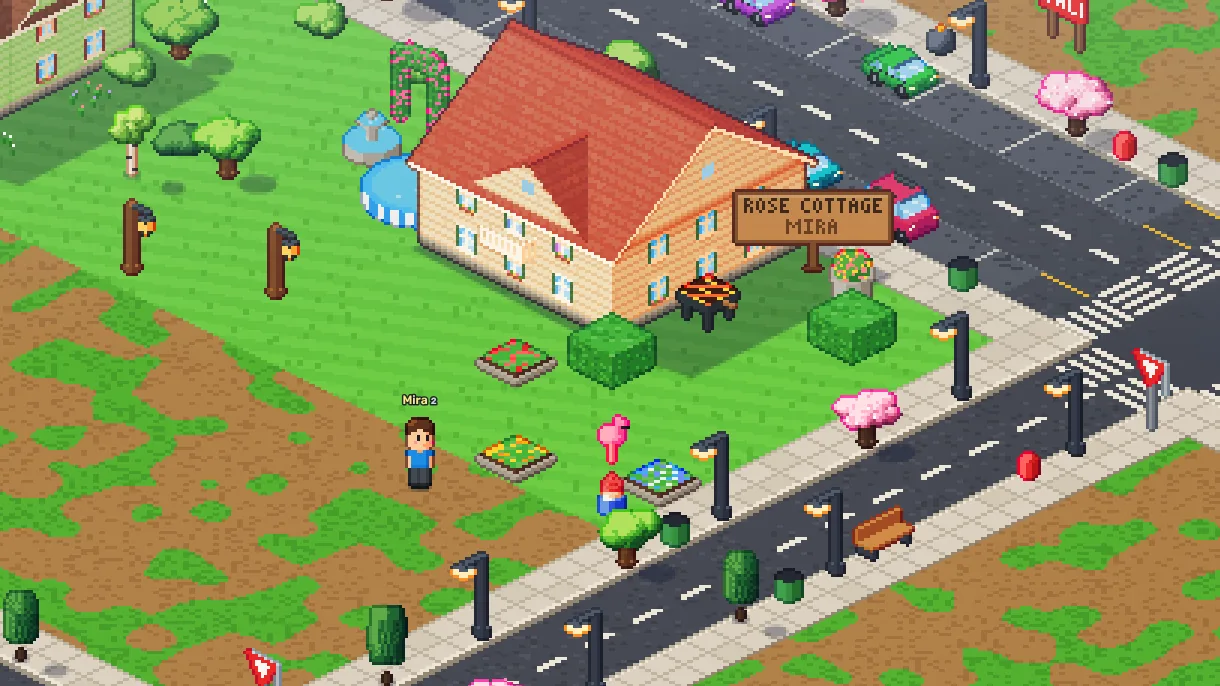
A rented apartment is a good start, but nothing beats your own land. In Towneers a plot is yours forever: build a house, plant an apple tree, put a garage and a pool in the yard — and a plaque with your name at the entrance so every passer-by knows whose home this is.
1. Choose a plot
Free plots have a red SALE sign. Walk up to one (or tap it) — a card opens with a picture, the price, the size, the address and the district, and what you can build there. There are three kinds of land:
- City plots — houses, shop pavilions, mixed buildings and apartment complexes for rent income.
- The Cottage Village — quiet streets for houses only; perfect for your first home.
- The Northern Farms — land for a farm with a barn and fields.
You can own up to 4 plots. Prices depend on the size and the district and are written on the sign.
2. Build a house
After the purchase the plot window offers the projects that fit: a Cosy house, a two-storey Cottage and others. The window shows the price and the build time; scaffolding goes up right away, and when it is done the keys are yours — living in your own house is free.
The new house builder lets you design your own home instead of picking a ready project. Open your plot window and press “🏗️ Build your own house” — a ghost of your future home appears above the plot, with the Build panel next to it (at the bottom on a phone). Walls go up tile by tile, up to 4 floors and 40 tiles, so L‑ and U‑shaped houses, towers and steps are all possible. Every part of the house gets its own roof, materials range from plaster and brick to glass, any wall can take windows, doors, a balcony, a bay window or a porch, and 12 ready templates give you a quick start. The rest of the land stays your yard.
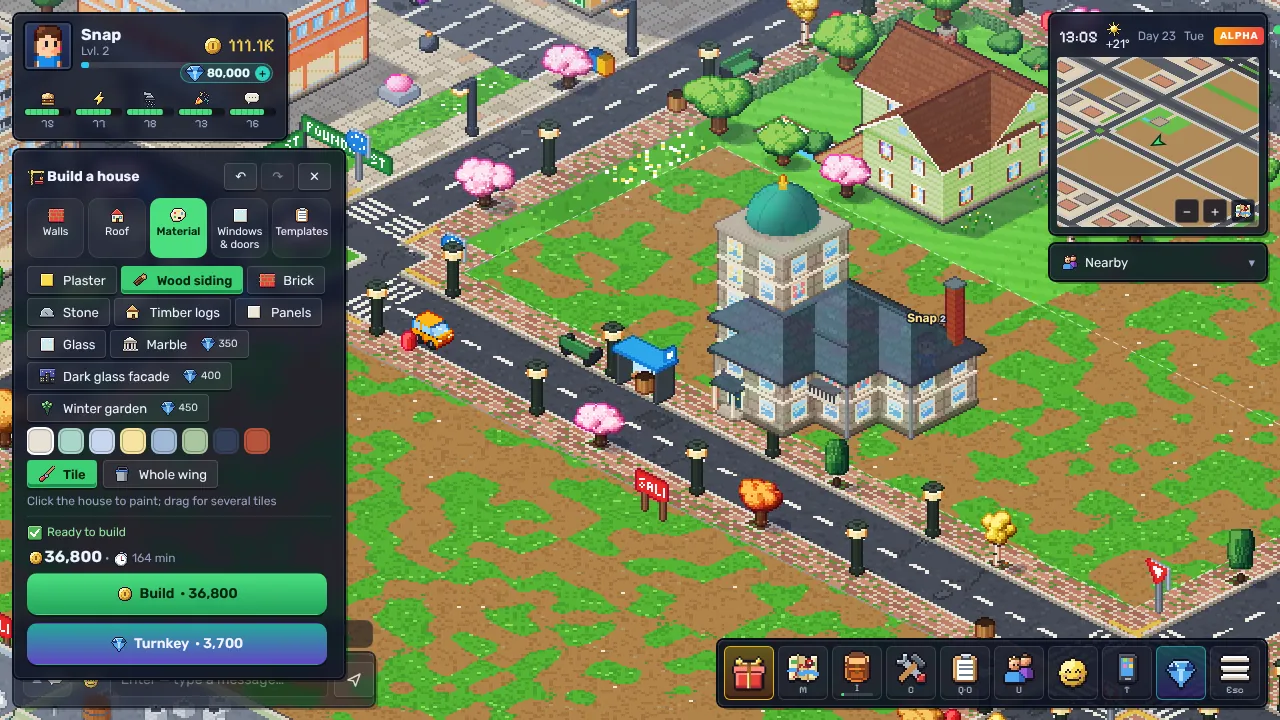
The price and the build time are always shown at the bottom of the panel, and your draft saves itself. Changed your mind? “🛠️ Rebuild” changes the house while your furniture and yard stay where they are. Inside, the room follows the ground floor: the bigger the house, the roomier it is.
3. Put up your plaque
Every bought plot gets a plaque at the entrance. Press “✏️ Set up the plaque”: a name in Latin letters (ROSE COTTAGE), a motto and a style — wooden for free, stone for 🪙300 and fancier ones further on.
Anyone can press your plaque and open the plot passport: who lives here, what is built, how well-kept it is and how many people liked it. Guests can leave a ❤️ and up to two lines a day in the guestbook — you read them and can delete any entry, or close the book.
4. Decorate the yard
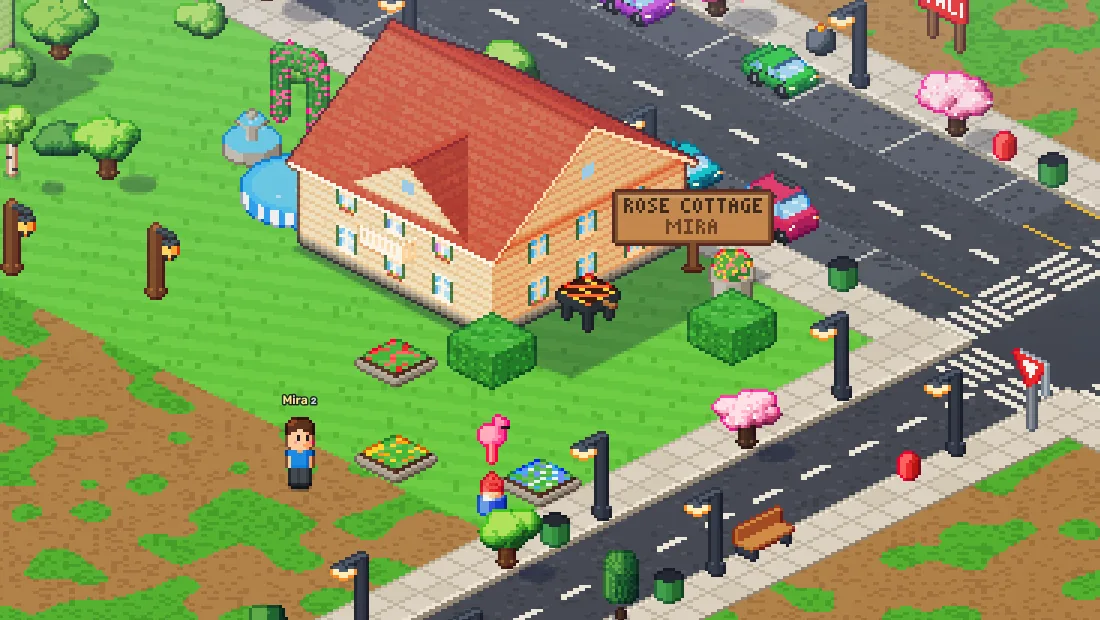
Stand on your plot and press “🧱 Plot” (L on a computer). Everything the house does not cover is your yard:
- Garage
- Garden shed
- Barbecue
- Apple tree
- Inflatable pool
- Poppy flowerbed
- Garden gnome
- Garden fountain
- Useful things: a shed with 12 storage slots, a grill to cook outdoors, an outdoor workbench, an apple tree (🪙180) that gives fruit, a well, a hammock, an inflatable pool (🪙650).
- Garage (🪙3,500): your car lives at home, drives out right away, and the garage holds two more cars.
- Decor: flower beds, trimmed shrubs, a rose arch, a gnome, a pink flamingo, a fountain, a statue, a flagpole, string lights.
- Fence and ground: a picket fence (🪙400), a hedge (🪙700), stone and more — with a gate at the entrance.
A well-kept yard makes the plot passport shine — and neighbours notice.
5. Grow, expand or sell
A plot can be expanded to the side from the plot window. And if you want to move on, you can sell land, a building or a business to the city (70% of the estimate) or to players (the city takes 5%). Moving out never loses your things: they go to your bag or the storage, and in the new home “Arrange as before” puts the furniture back in place.
Questions and answers
How many plots can I own?
Up to four per player — in the city, in the Cottage Village and on the farms together.
Can I change my house after it is built?
Yes. “🛠️ Rebuild” changes the shape, roof, details and colours for a fraction of the price. A new spot or size is a new construction with its own price and time.
Who can see my plaque and yard?
Everyone. Any player can open your plot passport, leave a like and write in the guestbook (you can close it).
Where do I get money for a plot?
Start with our guide How to earn your first 1,000 gold — then keep a business, a farm or a craft going.
All the new plot features arrived in Towneers 0.34. See you in the village!