Play Towneers on a Chromebook — no download
Open the site in Chrome and play — the full game fits a 1366×768 Chromebook screen, with keyboard, touchpad or touch.
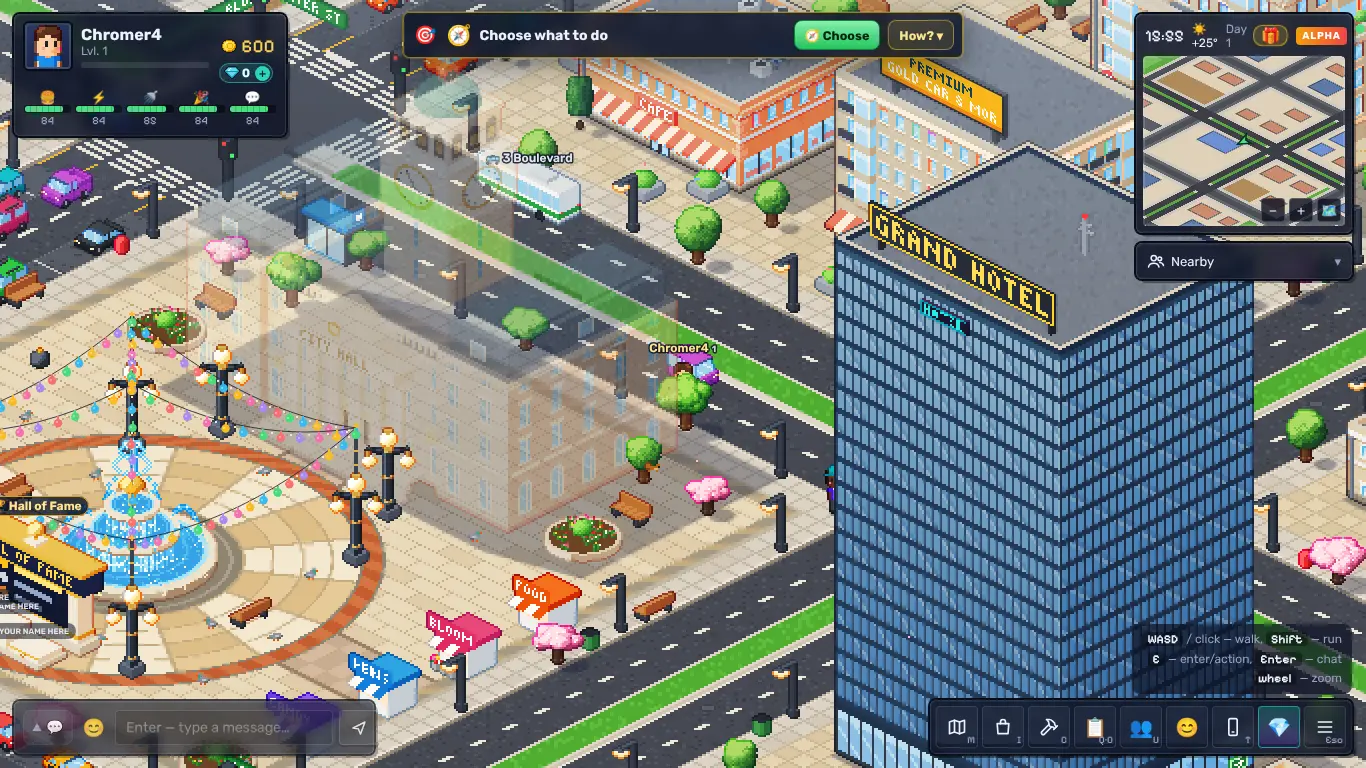
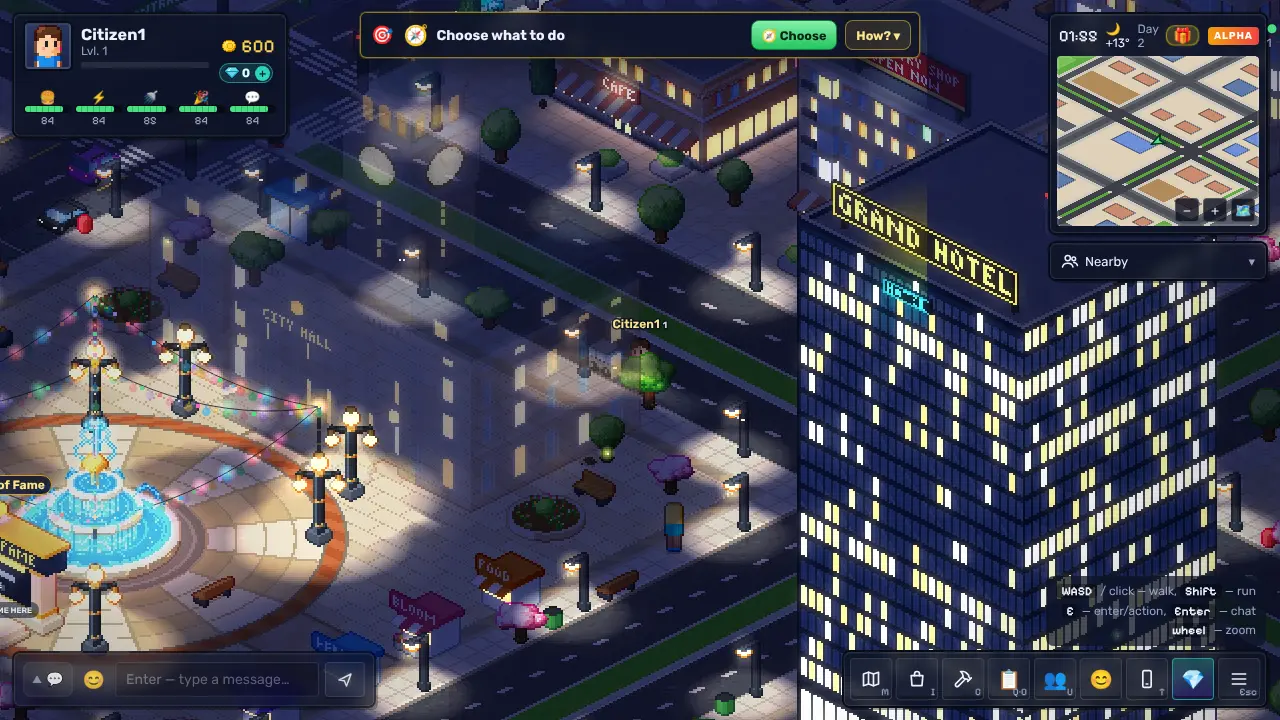
Towneers works on a Chromebook without downloading anything: it is a browser game, so you open the site in Chrome, create a character and play. We checked the game at 1366×768 — the most common Chromebook screen size — and the whole interface fits: the character panel, the minimap, the quest bar, the chat and the action bar.
How to start
- Open Chrome and go to the Towneers site.
- Press “Play free” — the character editor opens right away.
- Choose a look and a name and appear on the central square with 🪙600.
- Save your progress later with email or Google, so the same character opens on your phone too.
Controls on a Chromebook
| Action | Keyboard / touchpad |
|---|---|
| Walk | WASD or click on the ground |
| Run | Shift |
| Enter, sit, fish, use | E |
| Chat | Enter |
| Map / bag / skills / crafting | M / I / K / C |
| Scooter or bike on / off | V |
| Zoom | two-finger scroll |
Chromebooks with a touch screen also work like a tablet: tap to walk and use the big action button.
Tips for a smooth game
- Close other heavy tabs — the city is drawn live.
- Graphics quality lowers itself automatically if the frame rate drops; you can also choose it in Settings → ✨ Graphics effects.
- Add the site to the shelf (Chrome menu → Install / Create shortcut) so it opens like an app.
Do I need Linux or Android apps on the Chromebook?
No. Towneers is a website; Chrome is enough.
Does it work offline?
No. It is an online multiplayer game, so it needs an internet connection.
Is it free on a Chromebook?
Yes, exactly the same as on any other device: free to play, optional purchases listed on the shop page.
Numbers on this page come straight from the game data and change with it. Towneers is in alpha: balance can change and the world may be reset.